
Huvver
Is Huvver Free? What You Can Explore and What Requires a Subscription
The short answer needs one distinction: exploring a public itinerary is different from owning and editing your own trips. Huvver has one annual subscription for a trip owner, while people invited into that trip can collaborate without purchasing their own subscription.
By the Huvver team · Reviewed October 20, 2026
The short answer
You can browse Huvver’s public destination guides, reusable trip previews, and comparisons without paying. Creating and managing your own trips requires an annual subscription. Invited editors and viewers join a subscribed owner’s trip free.
What you can see before paying
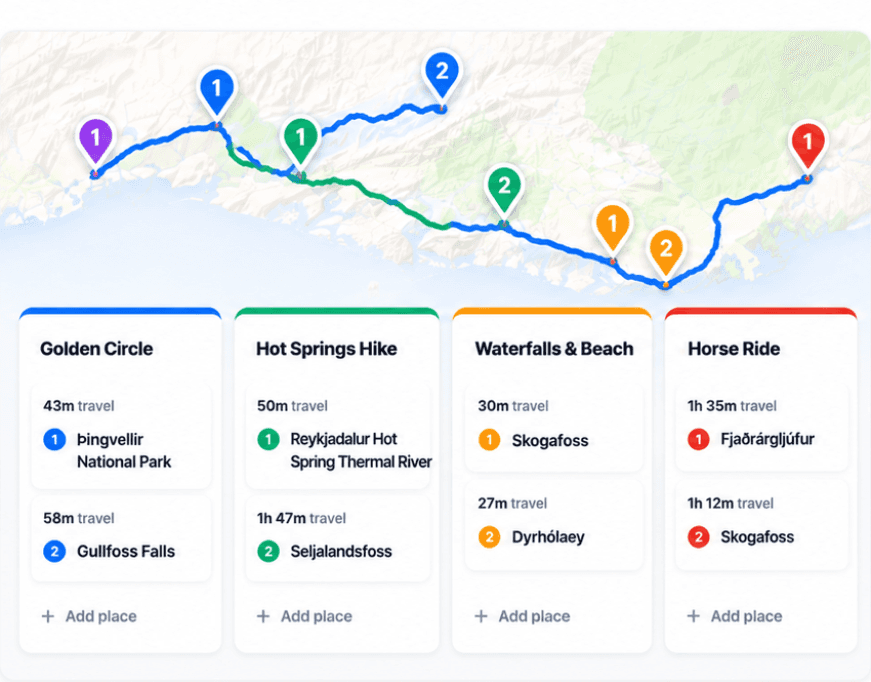
The public guides show complete day-by-day routes, maps, stops, planning notes, and a matching reusable template. Public read-only shared itineraries can also be viewed without owning the trip. This lets you assess whether the style of planning fits you before you subscribe. Browsing a guide is not the same as editing a private copy in your account.[1][4]
What the annual owner subscription includes
The subscription unlocks unlimited trip planning on the web and iPhone: ordered day boards, live maps, travel legs, prepared offline access in the iPhone app, shared costs and settlements, invitations, public read-only links, and reusable trip templates. Huvver currently lists one annual plan rather than a permanent free owner tier with a small trip limit.[2][5][6][7]
The pricing page shows the current web offer. For an App Store purchase, use the price shown in your storefront before confirming; currency, taxes, and offers can differ. Web and iPhone access use the same Huvver account.[2][8]
Who can join free?
An owner can invite editors and viewers to a shared trip without asking those collaborators to buy their own subscription. Editors can help build the plan; viewers can follow it. This matters for a group: one person can own the plan and invite the others. It does not mean every member gets an independent subscription to create unlimited trips of their own.[2][4]
Huvver offers web editing and an iPhone app requiring iOS 26.5 or later. There is no native Android app; Android travelers can use the web version while connected. If Android offline access or a permanent free owner plan is essential, compare alternatives before paying. Wanderlog offers a free core on iPhone and Android, with offline access in Pro.[3][8]
A useful way to decide
Open a guide similar to your route and inspect the number of bases, the order of days, and the mapped travel. Then ask whether you would save time by copying that structure into a private plan and sharing it with your group. If your only need is a list of saved places or booking confirmation storage, an annual route-planning subscription may be more than you need.
Explore a real trip
See day-by-day routes with maps, notes, and editable Huvver templates.
Sources and review notes
Outside product details are linked to first-party pages. Advice and recommendations are Huvver’s editorial judgment; this article does not imply hands-on testing unless it says so.