
App guides
Best Offline Trip Planner Apps for iPhone: Match the Download to the Job
“Works offline” is an incomplete promise. Your itinerary, booking details, base map, route line, live traffic, and turn-by-turn directions are separate kinds of data. Before choosing an app, decide what you must still see in airplane mode.
By the Huvver team · Reviewed October 20, 2026
Huvver publishes this guide and sells one of the products discussed. Recommendations are based on published product information, not a controlled app test.
The short answer
For an offline day plan and prepared route map on iPhone, consider Huvver. For booking details, TripIt and Tripsy are strong candidates. Wanderlog offers offline trip access in Pro. Apple Maps can download navigation maps separately; Polarsteps is particularly useful for tracking a journey without a connection.
At a glance
| Tool | Best for | Check before choosing |
|---|---|---|
| Huvver | Prepared day plan and saved trip map | Owner subscription; iOS 26.5+; saved coverage, not navigation [1] |
| TripIt | Existing travel details without connectivity | Changes wait for the next connection [2] |
| Wanderlog Pro | Saved notes, places, and attachments | Offline trip download is paid [3] |
| Tripsy | Offline Apple-device itinerary access | Confirm the exact data you need is cached [4] |
| Apple Maps | Downloaded navigation maps | Area coverage varies by region [5] |
| Polarsteps | Tracking a journey off-grid | Keep airplane mode off for tracking; new spots need a connection [7] |
Compare what is actually stored
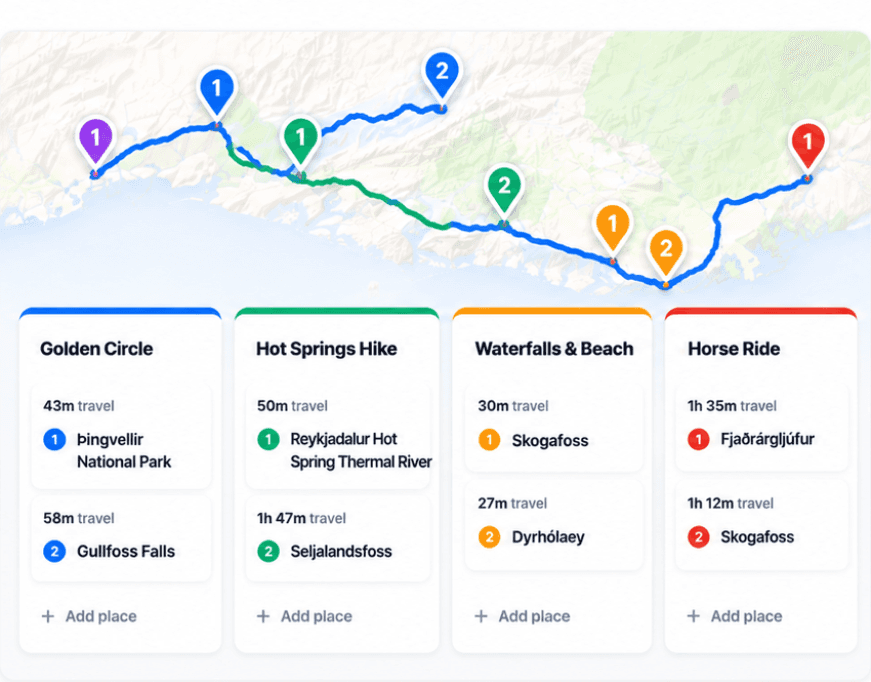
Huvver’s iPhone app can prepare trip details, a saved map image, and eligible road-route timing and geometry before departure. The saved map is a snapshot of selected coverage: zooming it does not fetch new street detail when you are offline. It is a planning reference, not a promise of fresh turn-by-turn navigation. Prepare the trip while connected and inspect its offline-ready status before leaving.[1][8]
TripIt says signed-in mobile users can read existing travel information offline, but updates wait for a connection. Wanderlog’s help center says Pro members can save notes, places, and attachments in its iOS app. Tripsy’s App Store description advertises offline itinerary access. These statements describe different scopes; do not assume each app downloads the same basemap or directions.[2][3][4]
The map and the itinerary may need two downloads
Apple Maps downloads include place information such as stored opening hours and turn-by-turn directions in supported regions. Google Maps downloads support driving directions but not offline transit, walking, or cycling directions; live traffic and alternate routes also require connectivity. Save the map area as well as the itinerary if your trip depends on navigation.[5][6]
Polarsteps can track offline and sync trip or step edits later, but its instructions say to keep airplane mode off for Travel Tracker. Existing spots and activities can be viewed offline; adding or editing them requires a connection. This tracking workflow needs a different rehearsal from simply opening a downloaded itinerary.[7]
Rehearse the offline tasks you need
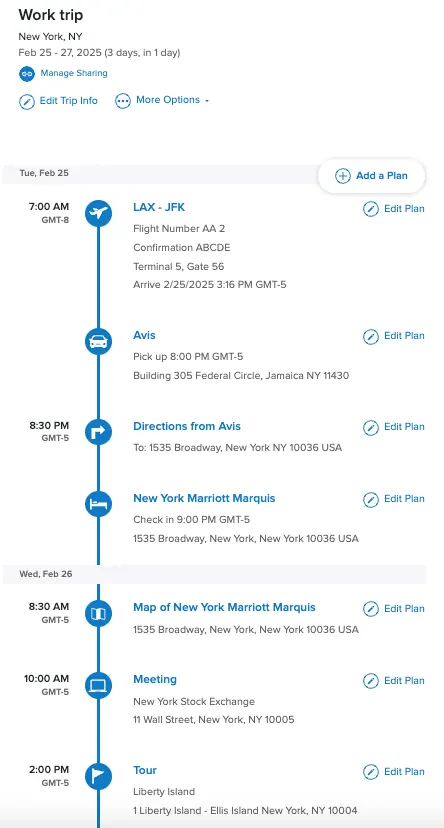
While connected, prepare the trip and download any separate map areas. For an itinerary-reading check, turn on airplane mode and make sure Wi-Fi is also off. Open tomorrow’s stops, the overnight address, saved reservation details, and the map. Try the edits you expect to need. Restore connectivity afterward. For Polarsteps tracking, follow its separate instructions and keep airplane mode off; the reading check does not validate its tracker.[7]
Refresh downloads after adding a stop or changing hotels. Offline maps may retain venue hours and other place details, but those are saved information, not live updates. They cannot fetch new traffic conditions, closures, or flight changes while disconnected. Keep critical tickets and addresses available separately.[5][6]
Explore a real trip
See day-by-day routes with maps, notes, and editable Huvver templates.
Sources and review notes
Outside product details are linked to first-party pages. Advice and recommendations are Huvver’s editorial judgment; this article does not imply hands-on testing unless it says so.