
Trip planner comparison
Huvver vs Wanderlog: Which Trip Planner Fits Your Trip?
Wanderlog combines a free core itinerary planner with discovery, booking import, packing lists, maps, and group expenses across web, iPhone, and Android. Huvver combines an ordered day board and map with overnight stays, shared and private costs, and a prepared offline iPhone trip. Huvver requires an annual owner subscription; Wanderlog charges for Pro features such as offline access and route optimization.
By the Huvver team · Reviewed October 20, 2026
Huvver publishes this comparison and sells one of the products discussed. Our assessment uses the linked product documentation; it is not a hands-on benchmark.
The quick verdict
Choose Huvver when…
Choose Huvver if your main job is shaping a multi-day route with explicit travel legs, adjusting the plan with companions, and carrying the itinerary and map on an iPhone.
Choose Wanderlog when…
Choose Wanderlog for a free starting plan, a native Android app, packing checklists, community guides, or reservation import; automatic Gmail scanning requires Pro.
Huvver vs Wanderlog at a glance
| Question | Huvver | Wanderlog |
|---|---|---|
| Starting a trip[9][1] | Create a board or copy a complete editable itinerary from a public template. | Start free, add places, and forward booking emails; automatic Gmail scanning is Pro. |
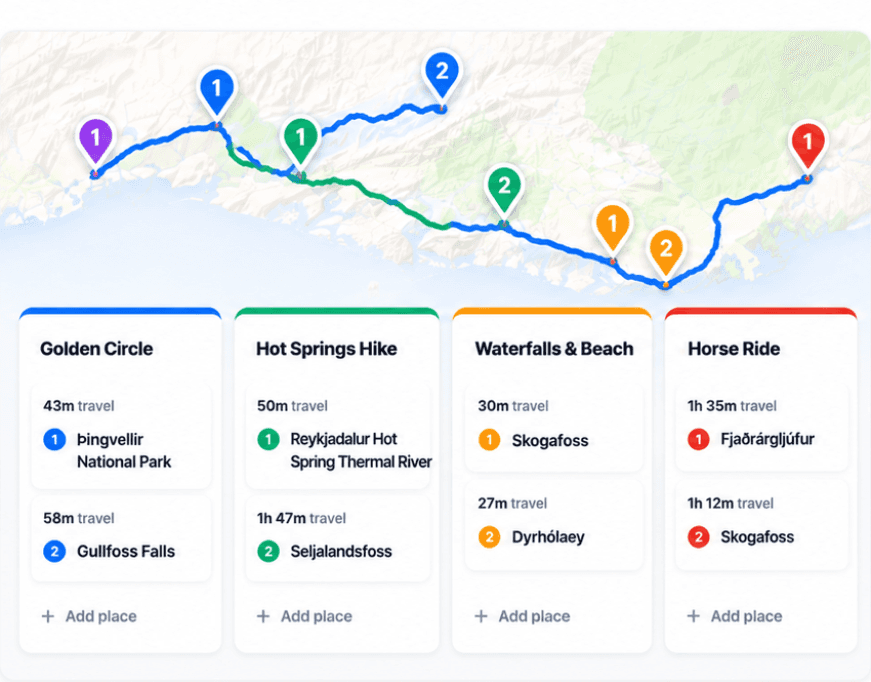
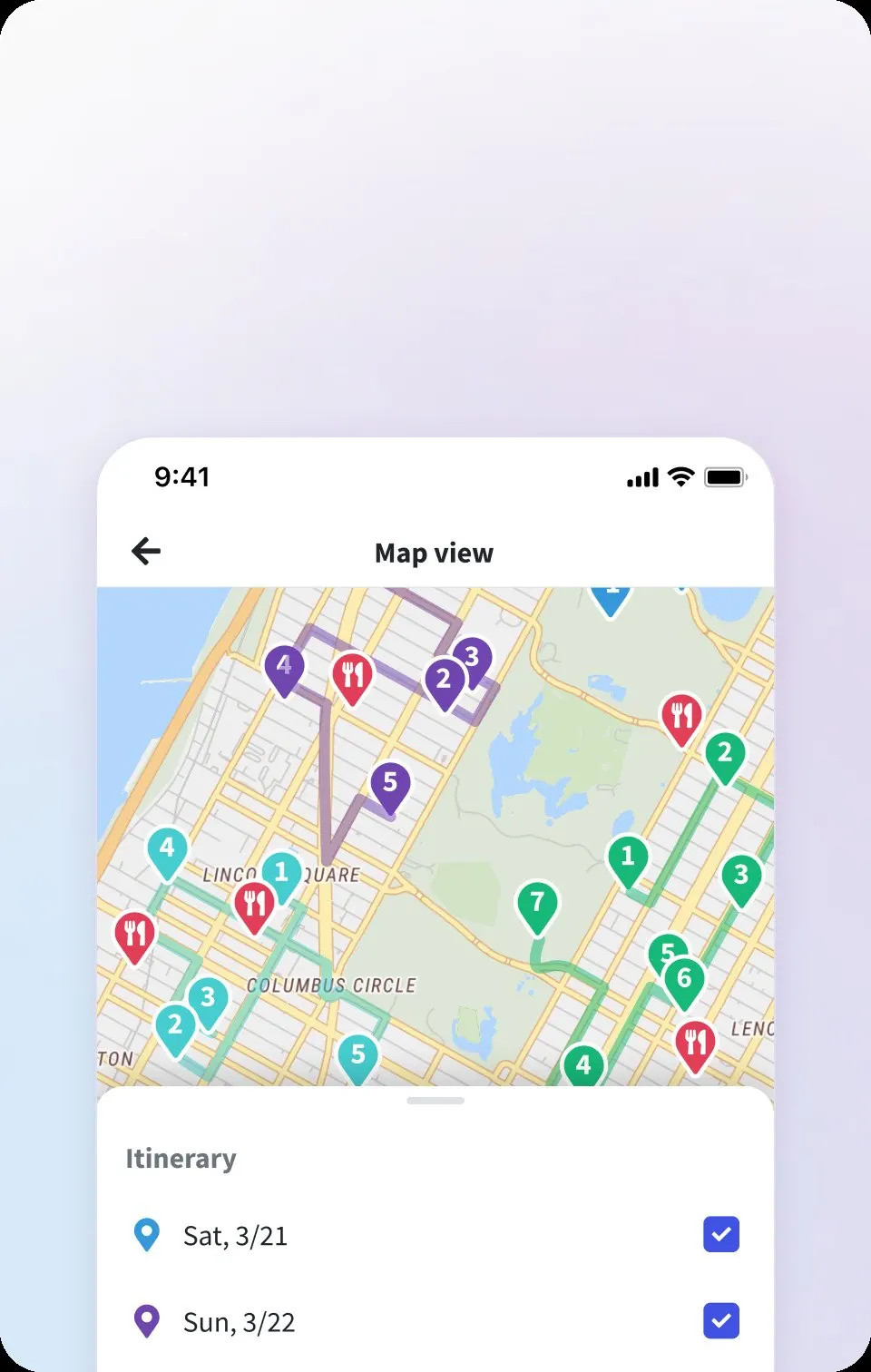
| Map and route[9][2] | Day board and live map show ordered stops and travel legs, including travel modes and overnight stays. | Map view shows places and travel times; Pro can rearrange one day with route optimization. |
| Group planning and costs[11][1][4][5] | Invite editors or viewers; record shared and private costs and settle balances. | Collaborative editing, budgets, expense tracking, and split bills. |
| Offline use[12][7] | Prepare the itinerary and saved map coverage in the iPhone app before travel. | Pro members can save trips for offline access on iOS and Android. |
| Pricing model[6][1] | Annual subscription for the trip owner; invited editors and viewers join free. Public previews are free. | Free core; Pro adds offline downloads, route optimization, and automatic Gmail scanning. |
| Devices[13][8] | Web editing and iPhone (iOS 26.5+); no native Android app. Offline preparation is iPhone-only. | Web, iPhone, and Android. |
The main difference is how you build the day
Wanderlog covers much of the planning journey in one place: ideas from guides, reservation import, a map, packing lists, and spending. Its map is a real planning feature, not just a collection of pins. You can add attractions to days, see distances and travel times, and use Pro to optimize the order of a day. That makes Wanderlog a strong choice when discovery and bringing existing bookings together matter most.[1][2]
Huvver starts with the trip as an ordered day board beside a live map. Each day can hold places, notes, overnight stays, and travel legs. If your group changes the order or moves a stop to another day, the route remains part of the same planning surface. Huvver also offers complete public itineraries that become editable copies, useful when you want a realistic starting route rather than a blank canvas.[3][9]
Wanderlog’s Pro optimizer can reorder stops within one day. Huvver lets you arrange days and stops directly, with the route beside the board. If reducing a long day’s driving is the main task, Wanderlog’s optimizer is a concrete advantage. If your main task is deciding which overnight base and day each place belongs to, inspect Huvver’s public guide previews before subscribing.[2][3][9]
Collaboration and money are strengths of both
Wanderlog supports real-time group editing with view or edit permissions, plus budgets, expenses, and split bills. Huvver offers editor and viewer invitations and a ledger for shared and private expenses. Its planning-budget controls are currently unavailable, so groups that want both estimated budgets and actual spending should account for that difference.[1][4][5][10][11]
Huvver can combine a couple or family into one paying group for settlement while retaining individual traveler records. Equal traveler splits and equal paying-group splits allocate costs differently: a couple and a solo traveler might share a meal by three people but two rooms by two households. Select the basis for each expense rather than assuming “equal” always means per person.[11]

Offline, devices, and price
Wanderlog has web, iPhone, and Android apps. Its help center says offline trip download and single-day route optimization are Pro features. Huvver runs on the web and iPhone; its native app can prepare a saved itinerary, map images, and eligible route data ahead of time. Huvver currently has no Android app, which can decide the comparison immediately for some groups.[2][7][8][12][13]
Wanderlog has a free core planner. Huvver is an annual subscription for the trip owner, while invited collaborators can join without buying their own subscription. Check the current plan pages before comparing exact prices: promotions, regions, and app-store billing can change them.[1][6]
Which one should you use?
Choose Wanderlog for a free first itinerary with discovery, reservations, checklists, and Android support. Choose Huvver when its day-board layout and paying-group settlement fit the way your group plans. Preview a Huvver guide for free to inspect the layout; making your own editable copy requires the owner subscription.[1][3][6][11]
Common questions
Is Wanderlog free while Huvver is paid?
Wanderlog offers a free core planner and a Pro tier. Huvver uses an annual subscription for the trip owner; invited collaborators can join free. Wanderlog places offline downloads and route optimization in Pro.
Can both apps split trip expenses?
Yes. Both support shared trip spending. Huvver supports private expenses and paying-group settlement for couples or families; its planning-budget controls are currently unavailable.
Which app works on Android?
Wanderlog has an Android app. Huvver currently offers web and iPhone access.
How we researched this comparison
Huvver publishes this article and has an interest in your choice. We checked the competing product’s public feature and support pages against Huvver’s current product pages on the review date above. This is a source-based comparison, not a claim that we ran a controlled hands-on test. The credited product images are publisher-supplied, rather than screenshots from our own test. Features and prices may change.
- [1]Wanderlog product overview
- [2]Wanderlog route optimization
- [3]Huvver trip guides and editable templates
- [4]Wanderlog group planning
- [5]Wanderlog expense tracking
- [6]Huvver plans and included features
- [7]Wanderlog offline trip download
- [8]Wanderlog mobile availability
- [9]Huvver help: planning
- [10]Huvver help: sharing
- [11]Huvver help: costs
- [12]Huvver help: offline
- [13]Huvver help: devices