
Trip planner comparison
Huvver vs Mindtrip: AI Planning, Routes, and Group Costs
Both Mindtrip and Huvver offer AI-assisted planning and editable itineraries. Mindtrip emphasizes conversational discovery, collecting inspiration, and bookings. Huvver combines AI drafts and itinerary review with a day board, travel legs, overnight stays, and shared or private expenses. The decision is which planning and booking workflow you need around the AI suggestions.
By the Huvver team · Reviewed October 20, 2026
Huvver publishes this comparison and sells one of the products discussed. Our assessment uses the linked product documentation; it is not a hands-on benchmark.

The quick verdict
Choose Huvver when…
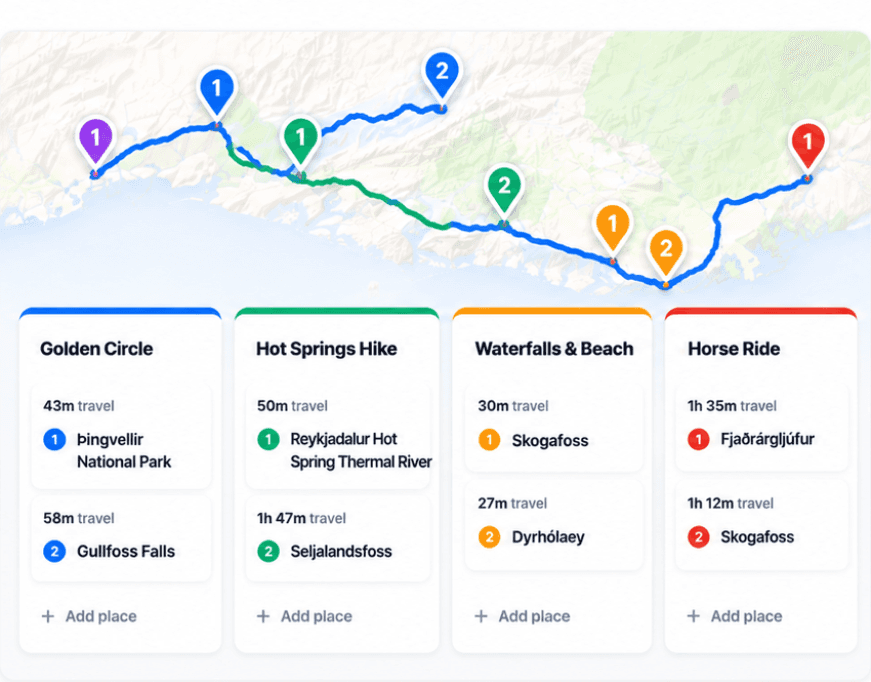
Choose Huvver for an editable day board with AI drafting and review, routed travel legs, overnight stays, and paying-group settlement.
Choose Mindtrip when…
Choose Mindtrip when conversational discovery, importing inspiration from content, and booking help matter most.
Huvver vs Mindtrip at a glance
| Question | Huvver | Mindtrip |
|---|---|---|
| Starting point[6][1][5] | Build manually, copy a destination template, or draft a trip with AI. | Prompt an AI planner or collect ideas from videos, articles, and social posts. |
| Itinerary[6][1][2] | Editable day board beside a route map with modes and overnight stays. | Flexible AI-assisted itinerary with maps and collaborative editing. |
| Bookings[11][1] | Record places and notes; booking documents are not an email-import workflow. | Plan and book flights, stays, restaurants, and activities in its workspace. |
| Group money[7][1] | Shared/private ledger, paying groups, and settle-up suggestions. | Booking receipts are documented; shared expense settlement was not confirmed in the cited FAQ. |
| Devices[10][1] | Web editing and iPhone (iOS 26.5+); no native Android app. Offline preparation is iPhone-only. | Web and iOS, according to its traveler FAQ. |
| Pricing model[4][9] | Annual subscription for the trip owner; invited editors and viewers join free. Public previews are free. | Its iPhone listing describes the travel companion as free; travel bookings are separate purchases. |
Mindtrip is strong before the route is clear
Mindtrip can turn a prompt or inspiration from outside content into an editable itinerary. Its traveler FAQ describes maps, collaboration, booking tools, and receipt handling. This suits travelers who want discovery and reservations close to the planning conversation.[1]
Huvver also offers AI trip drafts and itinerary review, alongside manual planning and curated templates. Web AI has a usage allowance; native AI depends on a supported Apple Intelligence device. Its output remains an editable plan. Neither app’s AI draft should replace checking current schedules, venue hours, and entry rules before booking.[3][5]
Compare what stays with the plan
Mindtrip’s collaboration includes shared editing and comments. Huvver keeps day order, travel legs, overnight stays, and unscheduled Ideas beside the map. If the group is collecting inspiration from videos and articles, Mindtrip’s import workflow is a practical advantage. If the plan already exists, Huvver’s board can serve as the place to arrange and revise it.[1][2][6]
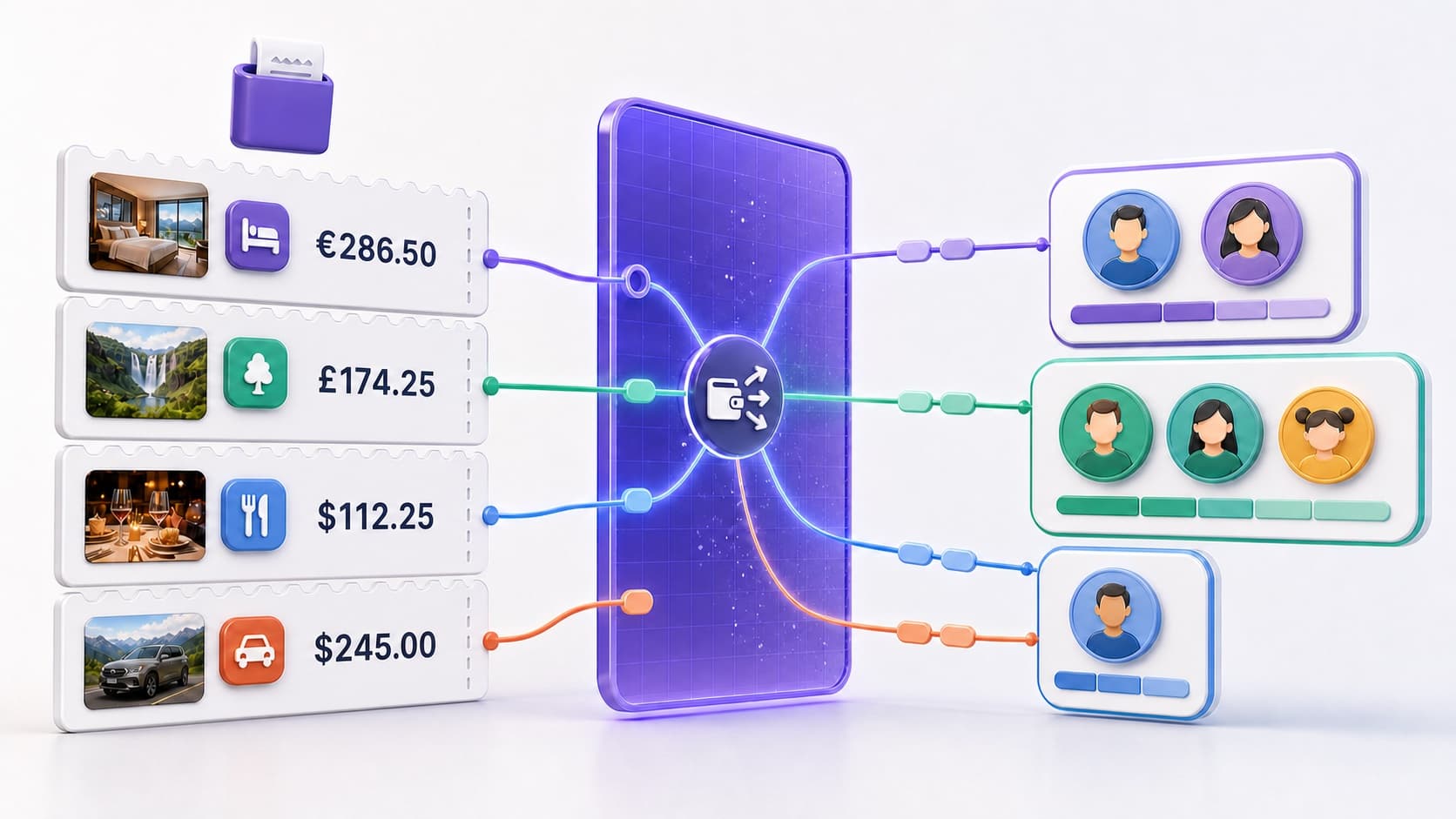
Huvver’s separate strength is the actual cost ledger. It can keep private purchases apart from shared ones, split group charges among travelers or paying groups, and show who should settle with whom. Mindtrip’s booking tools may be more useful when the group’s main job is finding and reserving the next experience.[1][7]
Before leaving service
Huvver’s iPhone app can prepare its itinerary and saved map for use without connectivity. Mindtrip’s public traveler FAQ confirms web and iOS availability, but does not establish the same prepared offline route workflow. If disconnected access is a deciding factor, check the current app behavior with your specific trip before relying on either product abroad.[1][8]
Which one fits?
Choose Mindtrip when discovery, imported inspiration, and booking assistance are central to the trip. Choose Huvver when you want AI assistance within a shared day-board and expense workflow. With either, review the draft against actual transfer times and bookings before treating it as the agreed itinerary.[1][6][5][7]
Common questions
Does Mindtrip support collaboration?
Yes. Its traveler materials describe collaborative itineraries and group editing.
Is Mindtrip available on iPhone?
Yes. Mindtrip lists web and iOS access in its traveler help center.
What is Huvver’s main advantage here?
An explicit day board and route map paired with an actual shared and private cost ledger.
How we researched this comparison
Huvver publishes this article and has an interest in your choice. We checked the competing product’s public feature and support pages against Huvver’s current product pages on the review date above. This is a source-based comparison, not a claim that we ran a controlled hands-on test. The credited product images are publisher-supplied, rather than screenshots from our own test. Features and prices may change.
- [1]Mindtrip traveler FAQs
- [2]Mindtrip collaborative planning example
- [3]Huvver editable guides
- [4]Huvver features and pricing
- [5]Huvver help: ai planning
- [6]Huvver help: planning
- [7]Huvver help: costs
- [8]Huvver help: offline
- [9]Mindtrip plans and availability
- [10]Huvver help: devices
- [11]Huvver help: place import