
Trip planner comparison
Huvver vs Tripsy: Two iPhone Trip Planners Compared
Tripsy combines reservation import, flight updates, documents, maps, collaboration, expenses, and Smart Routes. It has apps for iPhone, iPad, Mac, and Apple Watch, plus browser viewing. Huvver supports editing a shared trip in a browser or on iPhone and includes shared/private expenses and paying-group settlement. Browser editing, booking import, and device preferences are the clearest differences.
By the Huvver team · Reviewed October 20, 2026
Huvver publishes this comparison and sells one of the products discussed. Our assessment uses the linked product documentation; it is not a hands-on benchmark.
The quick verdict
Choose Huvver when…
Choose Huvver when companions need to edit the trip in a browser and keep the daily route and shared expense settlement together.
Choose Tripsy when…
Choose Tripsy when Apple-device coverage, imported reservations, flight status, and travel documents are your priorities.
Huvver vs Tripsy at a glance
| Question | Huvver | Tripsy |
|---|---|---|
| Devices[11][6] | Web editing and iPhone (iOS 26.5+); no native Android app. Offline preparation is iPhone-only. | iPhone, iPad, Mac, and Apple Watch apps; browser viewing also works on Android. Creation and editing require the apps. |
| Bookings[10][1][2][16] | Place notes and trip details entered into the plan. | Pro includes reservation email import, document storage, and flight alerts. |
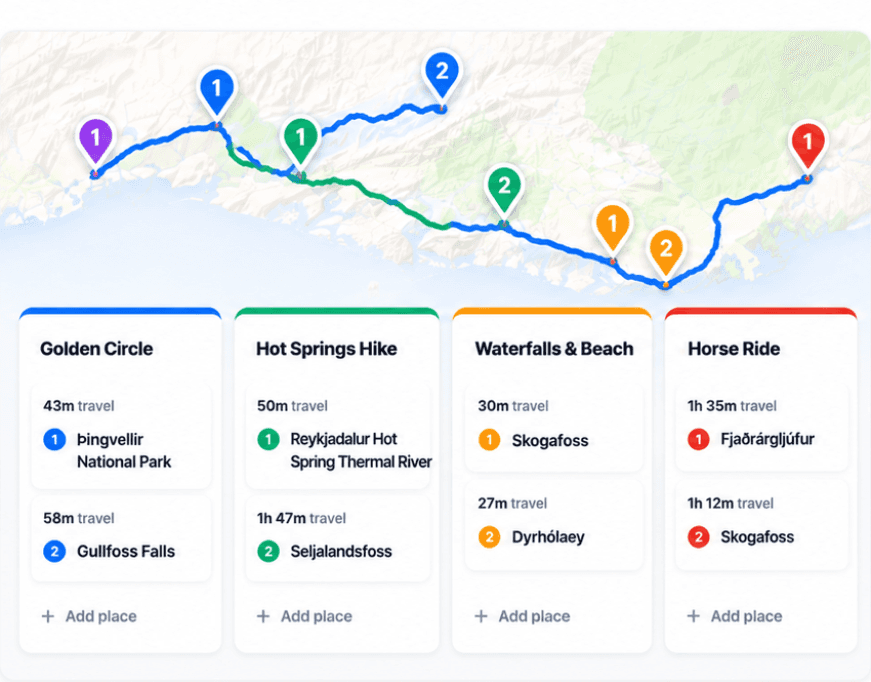
| Daily routes[9][5] | Day board and live route map with modes and stays. | Map and Smart Routes with travel times and timing warnings. |
| Group planning[15][1][12][16] | Editor/viewer invitations and shared/private cost settlement. | Collaboration with permissions; Pro includes multi-currency expenses. |
| Offline[13][2] | Prepared iPhone itinerary and saved map coverage. | Offline trip access on supported Apple devices. |
| Pricing model[4][14][8][16] | Annual subscription for the trip owner; invited editors and viewers join free. Public previews are free. | Free starter plan; paid Pro adds reservation import, documents, expenses, and Smart Import. Annual and lifetime options are available. |
Tripsy starts from the booked trip
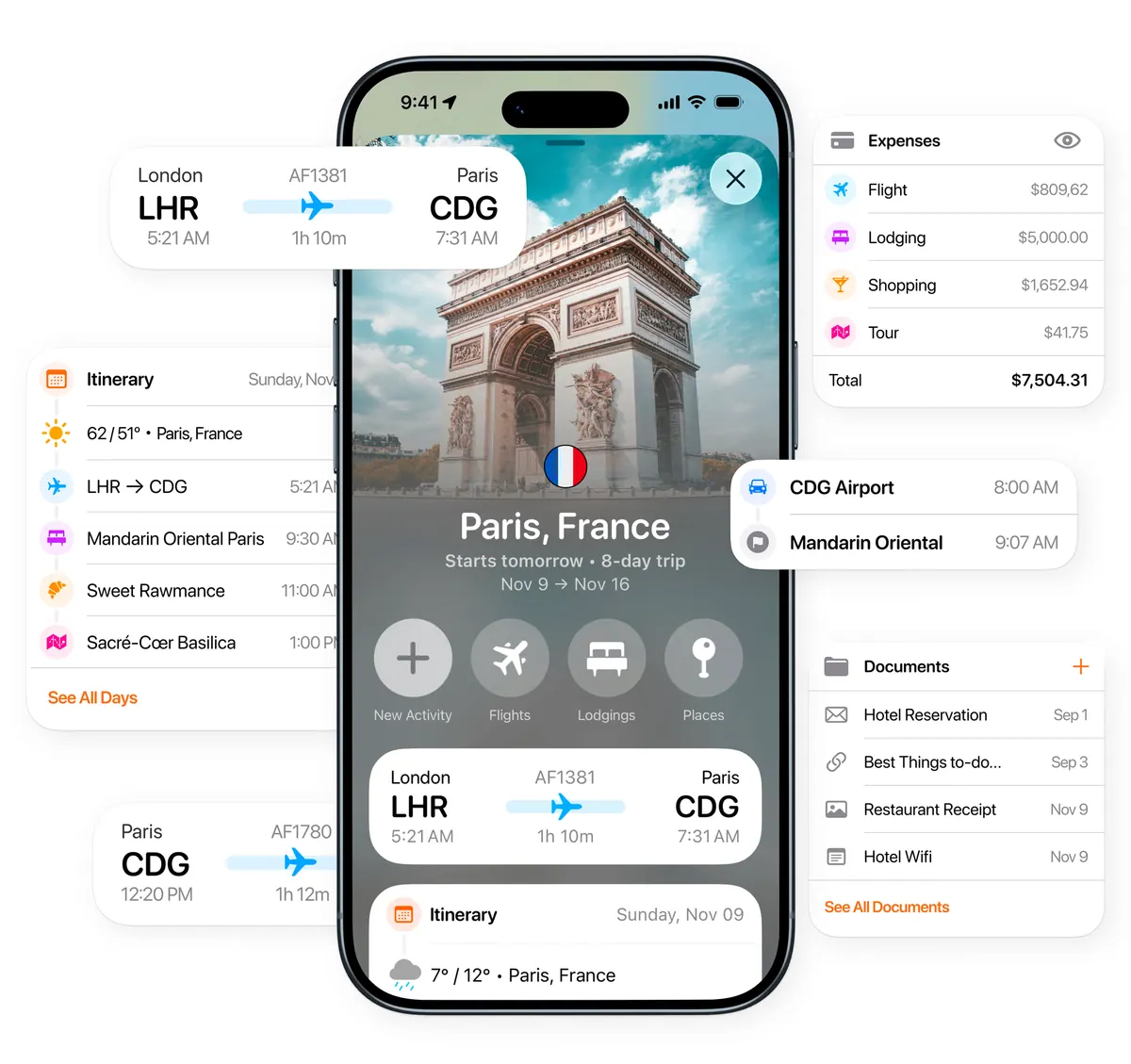
Tripsy Pro can import reservation emails, store documents, and provide flight alerts. Tripsy also offers apps for iPad, Mac, and Apple Watch as well as iPhone. For travelers working from existing confirmations across Apple devices, those are useful reasons to consider it.[1][16]
Huvver has web access and an iPhone app, but it does not currently turn booking emails into trip entries or provide live airline disruption alerts. It is strongest when the trip begins as an editable collection of places, days, travel legs, and stays, or from one of its complete destination templates.[3][9][10]
Both can work with routes and costs
Tripsy’s 2026 Smart Routes update added travel times, warnings about tight timing, and a multi-stop route builder. Its current product page also describes maps, collaboration with permissions, and multi-currency expenses.[1][5]
Huvver lets companions create and edit a trip in a browser, including on an Android device. Tripsy supports browser viewing, but its web page says creation and editing still require an app. Huvver’s ledger adds private purchases, traveler or paying-group splits, recorded payments, and settlement suggestions to the shared itinerary.[6][7][11][12]
Tripsy Pro’s Smart Import can bring supported map lists, links, and documents into a trip. Huvver’s iPhone share extension adds an individual supported place link; it does not bulk-import a saved list. If you have already collected dozens of places, that difference can save substantial manual entry.[8][10]

Pick the trip organizer you will actually maintain
Choose Tripsy for imported reservations, flight monitoring, documents, and Apple apps across your devices. Choose Huvver when companions need browser editing and paying-group settlement. Both advertise offline trip access, but check the downloaded details and map coverage you need before leaving service.[1][2][6][11][13][12]
Common questions
Does Tripsy have route planning?
Yes. Tripsy’s Smart Routes update added multi-stop routes, travel times, and timing warnings.
Can Tripsy track expenses?
Yes. Tripsy lists multi-currency expense tools. Compare its current workflow with Huvver’s shared/private splits and settle-up for your group.
Which app works on a Mac?
Tripsy has a Mac app. Huvver can be used in a web browser on a Mac.
Can Tripsy be used in a browser or on Android?
Tripsy supports browser viewing, including on Android, but says trip creation and editing still require its Apple apps. Huvver supports browser editing and has no native Android app.
How we researched this comparison
Huvver publishes this article and has an interest in your choice. We checked the competing product’s public feature and support pages against Huvver’s current product pages on the review date above. This is a source-based comparison, not a claim that we ran a controlled hands-on test. The credited product images are publisher-supplied, rather than screenshots from our own test. Features and prices may change.
- [1]Tripsy product overview
- [2]Tripsy TripIt alternative and offline details
- [3]Huvver trip guides
- [4]Huvver features and pricing
- [5]Tripsy product updates
- [6]Tripsy browser viewing and editing availability
- [7]Tripsy Android and browser access
- [8]Tripsy Pro Smart Import
- [9]Huvver help: planning
- [10]Huvver help: place import
- [11]Huvver help: devices
- [12]Huvver help: costs
- [13]Huvver help: offline
- [14]Tripsy plans and availability
- [15]Huvver help: sharing
- [16]Tripsy Pro reservation, document, flight, and expense features