
App guides
TripIt Alternatives for Planning Before You Book
TripIt earns its place by collecting confirmations. But many travel decisions happen before there is a confirmation email: which city gets another night, where a transfer fits, or whether three stops are possible in one day.
By the Huvver team · Reviewed October 20, 2026
Huvver publishes this guide and sells one of the products discussed. Recommendations are based on published product information, not a controlled app test.
The short answer
Use Huvver or Wanderlog when the main job is shaping a day-by-day trip before booking. Roadtrippers suits a driving-first route; Mindtrip suits idea discovery through conversation; Google Maps suits early place research. Keep TripIt if booking organization and flight alerts are the primary need.
At a glance
| Tool | Best for | Check before choosing |
|---|---|---|
| Huvver | Planning days, bases, routes, and shared costs | Owner subscription; no native Android app [4] |
| Wanderlog | Free cross-platform discovery and itinerary building | Some routing and offline tools require Pro [6] |
| Roadtrippers | Choosing a driving route and detours | Less relevant to rail-first trips [7] |
| Mindtrip | AI-supported ideas and draft plans | Check suggestions against dated sources [8] |
| Google Maps | Early place research and navigation | Needs a separate day and night plan [9] |
What TripIt already does well
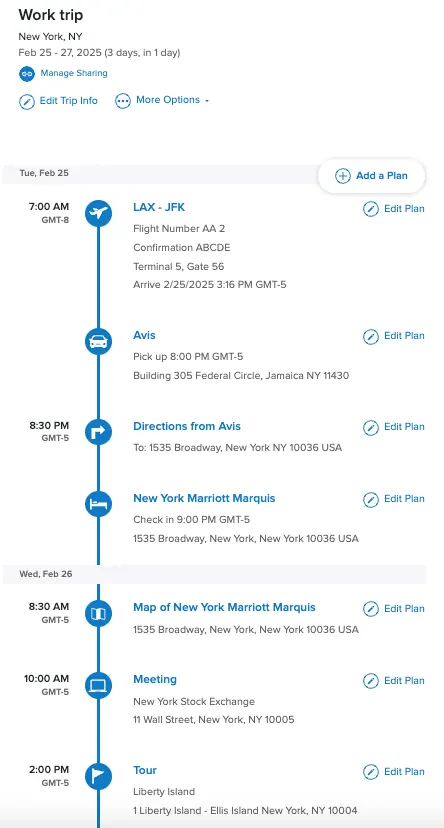
TripIt accepts forwarded confirmation emails, Inbox Sync, and manual entries, including unbooked activities. It offers sharing and offline access to existing trip details. Its mobile map shows plans with addresses, and Pro adds flight alerts and disruption tools.[1][2][3][10]
Its organizing model still begins most naturally with plans that exist. If you are deciding between several possible routes before buying anything, you may want a map-first or day-first workspace, then keep TripIt for confirmed logistics.
Alternatives by planning style
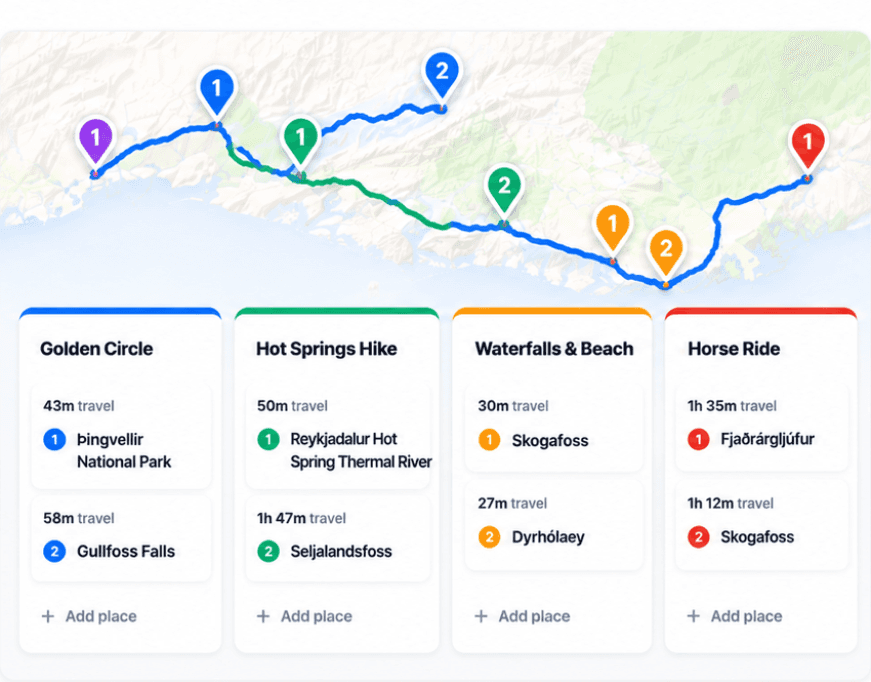
Huvver is useful when the group is moving places among days, comparing routed travel legs, marking overnight bases, and tracking costs. A public Huvver itinerary can become an editable starting point. It requires an annual subscription for the owner and has no native Android app.[4][5][11][12][13]
Wanderlog combines discovery, itineraries, maps, collaboration, and a free core across iPhone and Android. Roadtrippers emphasizes the drive and worthwhile detours, especially on longer road trips. Mindtrip emphasizes an AI-supported conversation and recommendations that become a flexible plan. Google Maps is a powerful research list and navigation tool, though you will need to add the day order and nights yourself.[6][7][8][9]
A simple two-tool arrangement can make sense
There is no rule that one app must do every job. Use a planner to decide the route and communicate the current day, then TripIt to collect flight and hotel confirmations. If you do this, name the source of truth for changes: should a rescheduled flight trigger an edit to the shared day plan, or should the group read TripIt first?
When comparing a planner, look for the decisions that still need making: the overnight base, travel mode, stop order, and time reserved for the transfer. Keep confirmed bookings distinct from ideas. In Huvver, unscheduled alternatives belong in Ideas until you decide which day can accommodate them.[11]
Explore a real trip
See day-by-day routes with maps, notes, and editable Huvver templates.
Sources and review notes
Outside product details are linked to first-party pages. Advice and recommendations are Huvver’s editorial judgment; this article does not imply hands-on testing unless it says so.
- [1]TripIt adding travel plans
- [2]TripIt free and Pro features
- [3]TripIt offline access
- [4]Huvver features and pricing
- [5]Huvver editable guides
- [6]Wanderlog overview
- [7]Roadtrippers mobile planning
- [8]Mindtrip traveler FAQ
- [9]Google Maps place lists
- [10]TripIt mobile map view
- [11]Huvver help: planning
- [12]Huvver help: costs
- [13]Huvver help: devices